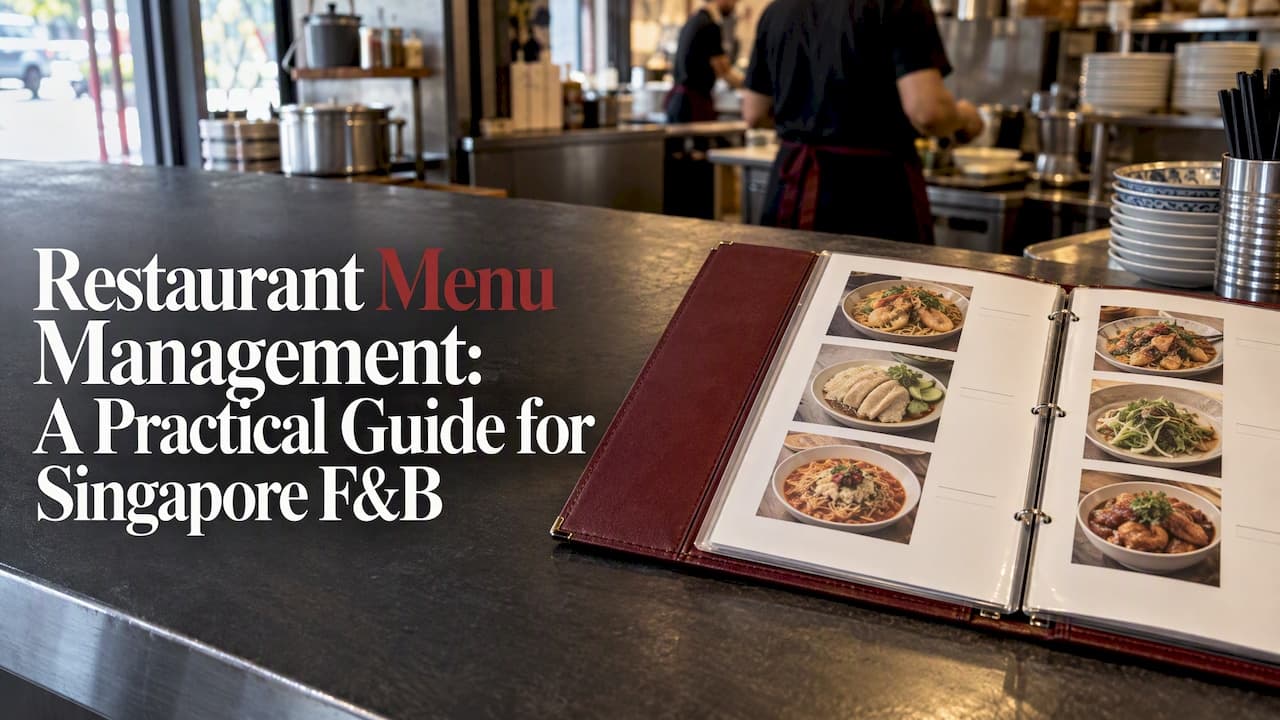
Restaurant menu management is the work of keeping one accurate menu (items, prices, modifiers, allergens, availability) and making sure every place a customer sees it shows the same thing. A menu management system does that job in software, so a price change or a sold-out dish is made once and reaches the cashier, the QR menu and the kitchen together. This guide shows what to manage, how to control changes, what Singapore food businesses should check, and how to set it up without a big budget.
TL;DR
- Keep one master menu record and name who owns it. When the cashier, the QR menu and a printed board disagree, the master wins.
- Treat every change (price, sold-out, new dish) as a small task with a time, an owner and a check that every channel was updated.
- In Singapore, label rules apply to prepacked food, but allergen details for other dishes should still be available to customers on request, for example on the menu.
- A small stall does not need a heavy system: a POS with QR ordering, a kitchen display and bilingual menus covers most of it.
- Start with the 20 to 40 items you actually sell, then tidy the rest.
Table of Contents
- What restaurant menu management actually covers
- Why it matters more than it looks
- Set a source of truth and a handoff
- Handle every change as a small task
- Features a menu management system should have
- Singapore requirements to check
- A low-budget menu workflow for a new stall
- Menus for caterers
- Our perspective
- Where StallPOS fits
- FAQ
- Sources
What restaurant menu management actually covers
Most owners think of the menu as a list of dishes and prices. In practice it is a record with many fields, and each field can go wrong.
Restaurant Technology News describes a menu as one authoritative record holding items, prices, descriptions, modifiers, dietary and allergen information, availability, location differences, images and effective dates. It also says that the designated source should win whenever channels disagree.
In plain terms, that means managing:
- Items and categories: what you sell and how it is grouped, such as noodles, rice, sides and drinks.
- Prices: including set meals, add-ons and any difference between dine-in and takeaway.
- Modifiers: no spring onion, extra noodles, less sweet, large portion. These are where most kitchen mistakes start.
- Availability: sold out, lunch only, weekends only.
- Descriptions and photos: short, consistent, and in the languages your customers read.
- Allergen and dietary notes: peanuts, shellfish, egg, halal or vegetarian status where you claim it.
- Dates: when a new price or dish starts, so staff are not guessing.
A menu management system is the tool that holds this record and pushes it to your ordering channels. For many Singapore stalls, that system is simply the POS itself.
Why it matters more than it looks
The cost of poor menu control is rarely dramatic. It is a customer scanning a QR code and ordering a dish you ran out of at noon. It is a price raised at the till but not on the board. It is a missed "no peanuts" note. Each one costs a refund, a remake or a regular who stops coming.
Good menu control helps in three places:
- Order accuracy. When orders go digitally from the POS to the kitchen, communication improves and errors fall, according to a Singapore kitchen automation overview. The same source notes that inventory integration can track ingredient use and low-stock levels.
- Speed at peak hours. Fewer questions at the counter and fewer handwritten chits mean the queue moves.
- Margins. When you can see which items sell and which are slow, you can reprice, bundle or drop them on evidence rather than a hunch.
Set a source of truth and a handoff
The most useful idea from the operational research is that software is not the main control. Governance is. Restaurant Technology News argues that a named source of truth and an accountable handoff matter more than which tool you pick.
For a small business, this can be very simple:
- One owner for the menu. At a stall, that is usually you. In a restaurant, it might be the chef or the manager. Only that person approves changes.
- One master. Decide where changes are made first: the POS back office, not a whiteboard, not a chat message to a part-timer.
- One routine. Check the menu once before opening, and once after any change.
Handle every change as a small task
The same source recommends treating each menu change as a trackable request. Each should record the exact field changed, the affected locations, the effective date and time, who approved it, the channels to update and any dependencies. It also says a change is only complete when every required channel has been checked, not merely when the POS is updated.
You do not need software for this. A shared note or a simple form is enough:
| Field | Example |
|---|---|
| Change | Fishball noodle, small, S$4.00 to S$4.50 |
| Where | Dine-in, QR menu, takeaway, printed board |
| Starts | Monday, before opening |
| Approved by | Owner |
| Checked | POS, QR menu, board, kitchen screen |
The last row is the one people skip. Walk through each channel and look at it, ideally by scanning your own QR code on a phone.
Features a menu management system should have
Whether you are comparing tools or building a routine, these are the features that keep a menu organised and accurate across channels:
- Central editing. One place to change items and prices, with the change showing on every channel.
- Categories and modifiers. Options and add-ons that print clearly on the kitchen ticket.
- Quick availability toggle. Mark an item sold out in seconds, from the till or a phone.
- Multilingual menus. In Singapore, English and Chinese are the baseline for many customers.
- Photos and descriptions. Optional, but they cut down on questions.
- Kitchen display. Orders arrive on a screen in a readable format instead of a handwritten slip.
- Reports. Sales by item, by hour and by day, so menu decisions rest on numbers.
- Simple payments. Ideally no extra steps between ordering and paying.
- Human support. Someone who can set up your menu with you, not just a help article.
For a hawker stall, be wary of anything that needs expensive proprietary hardware or a customer app download. Both add friction on both sides of the counter.
Singapore requirements to check
Menu information is also a compliance matter. The Singapore Food Regulations require clear labelling and nutrition information for prepacked food. According to the research available, the 2025 amendments allow some mandatory information to be made available to purchasers through electronic records or websites where space is limited.

For dishes cooked and served to order, the Singapore Food Agency says labelling requirements apply only to prepacked food, but businesses should still give label-type information, such as allergens, on request. It gives the menu and standees at the premises as examples of how to do this.
Practical steps:
- Add an allergen note field to every item that contains common allergens, and keep it in the master menu.
- Make sure your QR menu shows those notes, so customers see them before ordering.
- If you sell prepacked items (bottled sauces, packed snacks), check the SFA page for the labelling rules that apply to you.
- Only claim "halal", "vegetarian" or similar if your certification or process supports it.
A low-budget menu workflow for a new stall
If you are opening soon and watching costs, this is a sensible order of work.
- List what you will actually sell. Start with the core 20 to 40 items. A shorter menu is faster to cook, easier to price and simpler to keep accurate.
- Cost each dish. Add up ingredients per portion and compare with your selling price. Revisit after the first month of real purchases.
- Define modifiers once. Spice level, portion size, add-ons and exclusions, with set prices.
- Write names in both languages. Keep descriptions short.
- Add allergen notes. Do it now, not after a customer asks.
- Load it into your POS and test it. Place a dummy order of each type: dine-in, QR, takeaway. Check what the kitchen sees.
- Set a weekly review. Look at the best and worst sellers and remove one weak item or adjust one price at a time.
On cost, choose a flat monthly price with no commission on payments. Percentage fees on every order take more as you get busier, whereas a flat fee stays predictable.
Menus for caterers
Caterers face a different problem: not one menu but many. A corporate lunch, a wedding and a birthday party need different items, portions and prices.
- Keep a master list and build packages from it. Package A and Package B should draw from the same items, so a price change flows through.
- Record customer requirements per event. Allergens, halal needs, vegetarian counts and headcount belong on the order, not in your memory.
- Set lead times per item. Some dishes need two days' notice, others do not.
- Version your quotes. Note the date a menu and price were quoted.
The same governance applies: one owner, one master, a check before the event.
Our perspective
We built StallPOS around a simple observation: most small food businesses do not fail at menu management because they lack features. They fail because the menu lives in five places. A board, a till, a chat group, a printout and someone's head.

So we keep the menu in one place and let the ordering channels read from it. We run the system daily at our own noodle stall, which means every feature has been tested at the counter at lunchtime. We set up each shop's menu with the owner personally, in English and Chinese, because a messy first import creates problems for months.
Our view on cost is the same. Customers pay by PayNow straight into the owner's bank account, with no commission, and there is no customer app to download. A menu tool that skims every sale is a tax on your success.
— Miner1qaz
Where StallPOS fits
StallPOS gives Singapore stalls, coffee shops and restaurants QR ordering, a kitchen display, a cashier POS and a business dashboard, configured for each shop by a person. It costs S$58 per month per stall, as shown on our pricing page.

If you run a hawker stall, you can start with the hawker stall POS and 30-day free trial. Restaurants that need table management and reservations can see our restaurant POS. Coffee shops and canteens can look at QR table ordering. If you are still comparing options, our guide to choosing a hawker POS walks through the criteria.
FAQ
What is the difference between menu management and menu engineering?
Menu management is the upkeep: creating, editing and publishing an accurate menu across channels. Menu engineering is the analysis, using sales and cost data to decide what to promote, reprice or remove. You need the first to do the second reliably.
Do I need a separate menu management system if I have a POS?
Usually not for a single stall or shop. If your POS holds the master menu and feeds QR ordering and the kitchen screen, it is your menu management system. A separate tool starts to make sense when you run many outlets or several delivery platforms.
How often should I update my menu?
Update it whenever prices, ingredients or availability change, and review it weekly for performance. Each change should be checked on every channel the same day it takes effect.
Do Singapore stalls have to list allergens on the menu?
The SFA says labelling requirements apply to prepacked food only. For non-prepacked dishes, it expects you to provide the same type of information on request, and suggests the menu or a standee as ways to do it. Check the SFA page for your specific situation.
Sources
- Why Restaurant Menu Updates Fall Through the Cracks When No One Owns the Handoff, Restaurant Technology News
- Kitchen Automation Efficiency for Singapore Restaurants
- Food Regulations, Singapore Statutes Online
- Labelling Requirements for Food, Singapore Food Agency